Risk Management module overview
This module enables you to directly get data from the SiliconExpert database in Buymanager (through API). 2 kinds of data are available :
- Get conformity information (ROHS, REACH, EOL...) in only few clicks at every stage of your Deal (BOM upload, Costing...) : dedicated article here
- Search for cross-references to propose alternatives solutions to your customer : dedicated article here
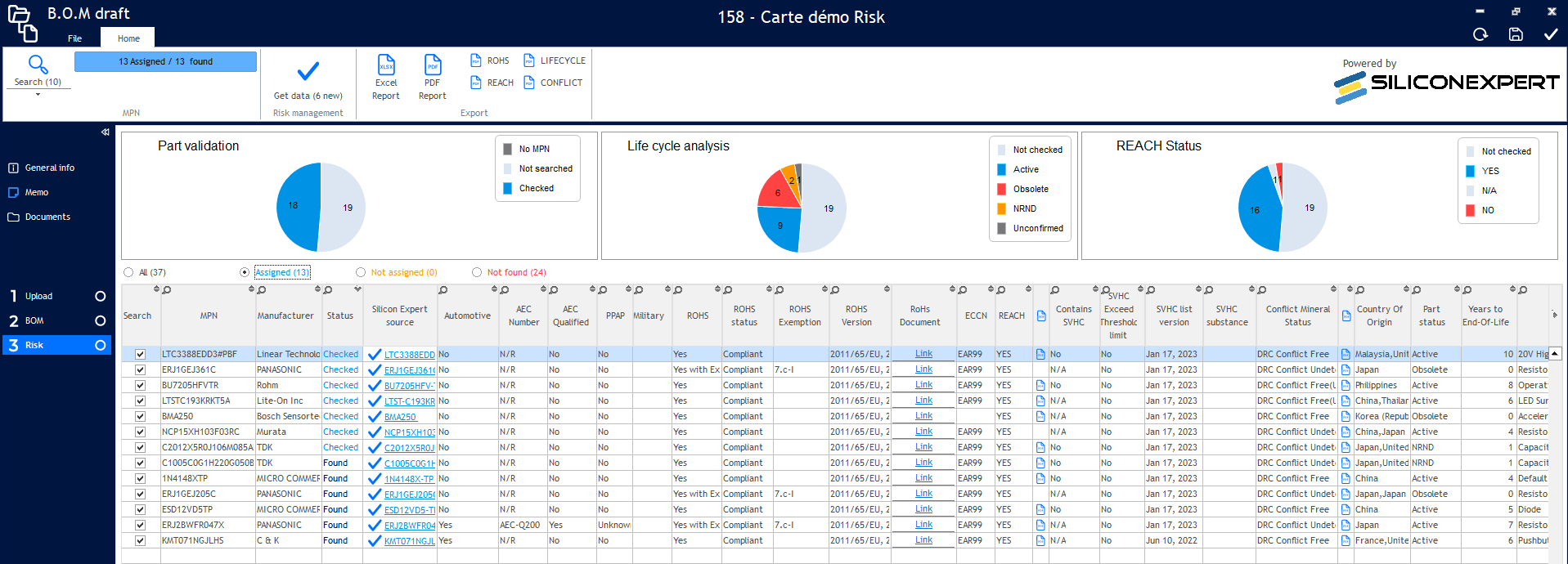
Pre-requirement - Get your licence :
The Risk Management module is only available if you have :
- The dedicated licence for this module (provided by Buymanager team)
- The SiliconExpert licence for API access (with a limited number of requests per year)
Please contact our sales team to have this new licence : sales@buymanager.biz
How to set-up the Risk management module in Buymanager?
- Activate the licence key (which includes your Risk management licence) provided by our sales team
- Please see dedicated article if needed : https://help.buymanager.biz/en/activer-des-licences/
- Start Buymanager as administrator
- Open Buymanager settings
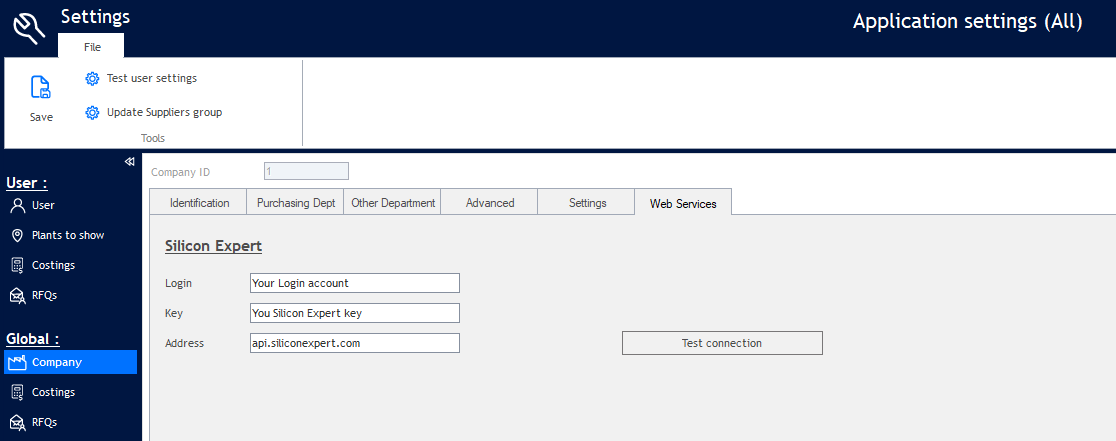
- First, enter your SiliconExpert credentials to activate your licence for your company :
- Click on “Company >> Web Services tab”
- Key in login and Key for Silicon Expert account
- Key in address "api.siliconexpert.com"
- Click “Test connection” to be sure the connection is working, and that you have requests left.
- Then, define the users who should have access to the Risk module :
- Click on “Users list”
- For each user that must have access to the Risk module, click on "Licenses"
- Then tick "Deal option Risk"
- Please make sure other modules required by the user are ticked, mainly "Standard" (it's the Deal module)
