Context You are working on a deal with one or several BOM, some of hypothesis have zero as quantity. For example : 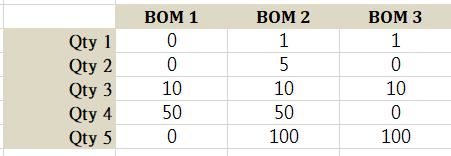 Goal : You want to keep the same hypothesis order in your final report Process :
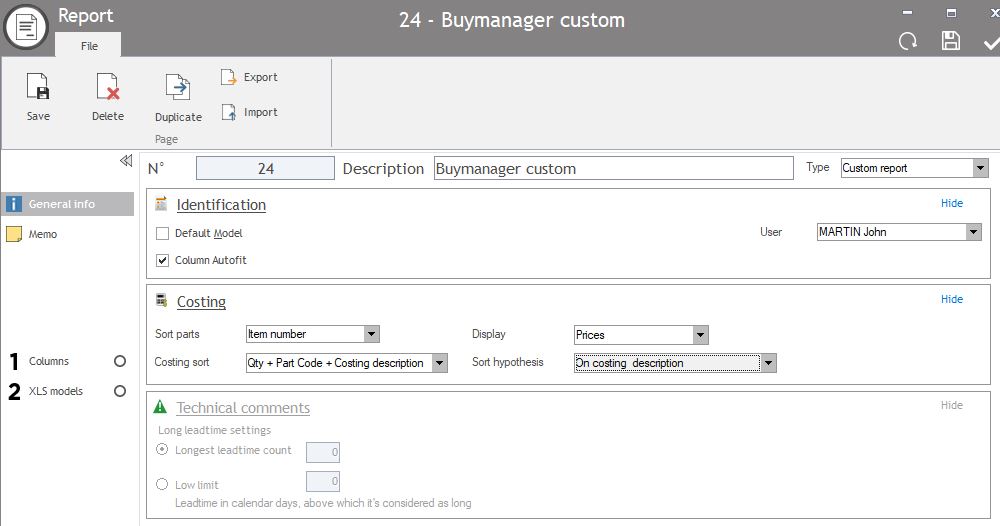
1.Update the report with option "sort hypothesis"
- Open your report
- Tab "General info"
- modify "Sort of Hypothesis" by "On costing description"
- Save
2. Modify costing name
- Update costing name by adding "index" :
For instance Costing name "Qty 1 (consolidated)" has to be renamed "Qty 1 (consolidated) 1"
Costing name "Qty 2 (consolidated)" has to be renamed "Qty 2 (consolidated) 2" etc...
If costing names aren't update, the following error message pop up

- Generate the report by selecting your costing and a report.