User can track every history price and selling price through this function.
How to tracking Selling price?
- Start Buymanager
- Open "Part” >>Search the part you want to track
- Or open Deal >> Initial costing >> Right click on the line choose "Open part"
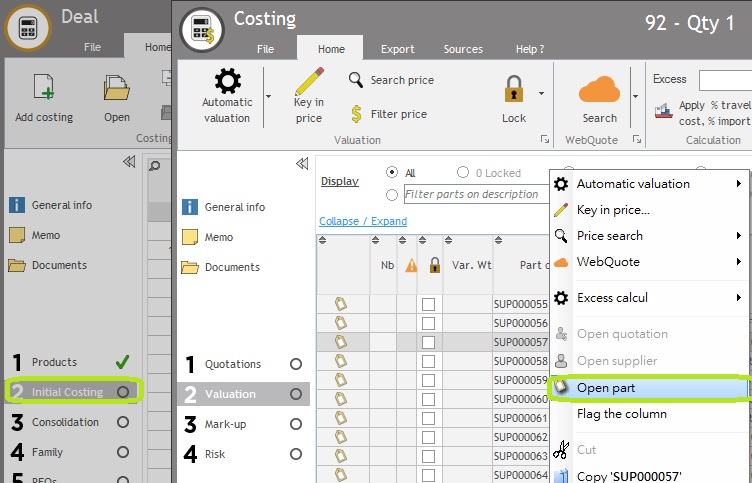
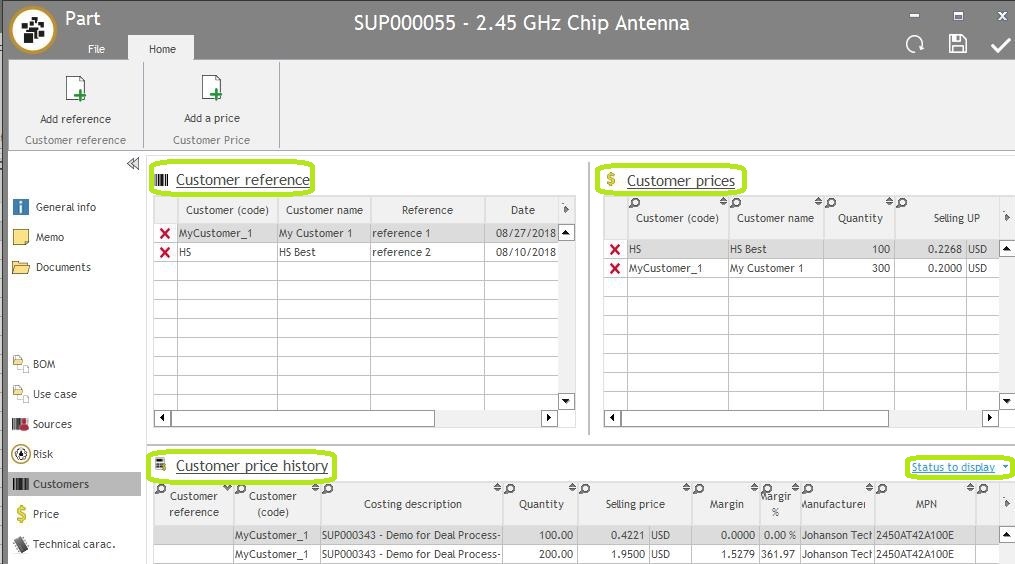
- Click on “Customers” Will showing the price and reference for each customer
- Customer reference: User can check each customer reference
-
Customer prices: Last Salling price for each customer, if the user press "Save" it in mark-up, will display the price here.
- Customer prices default setting is: Selling price can be stored for one Part, one Quantity, one Customer. Ex: If the user saves the same part, the same qty, the same customer, for a different price, it will only record the newest price in "Customer prices".
- About change setting: Please Click Here
- Customer price history: The History selling price for each customer
Note: If the user wants to check the in-process price need press "Status display" Tick the"In-process"
How to create customer reference and customer price?
- Start Buymanager
- Open "Part” >>Search the part you want to track
- Or open Deal >> Initial costing >> Right click on the line choose "Open part"
- Click on “Customers” >>
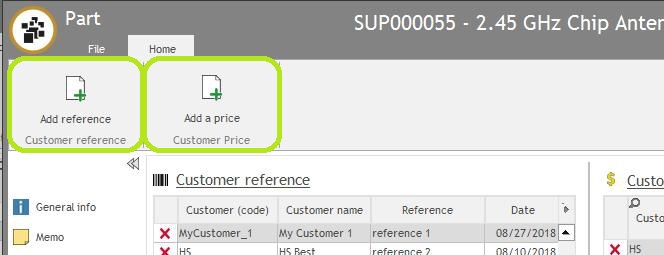
- "Add a reference"
- Search "Customer name"
- Fill the "Reference" column
- "Add a price"
- Search "Customer name"
- Fill the "Quantity", "Selling UP" column
- "Add a reference"
How to tracking Purchasing Price?
- Start Buymanager
- Open "Part” >>Search the part you want to track
- Or open Deal >> Initial costing >> Right click on the line choose "Open part"
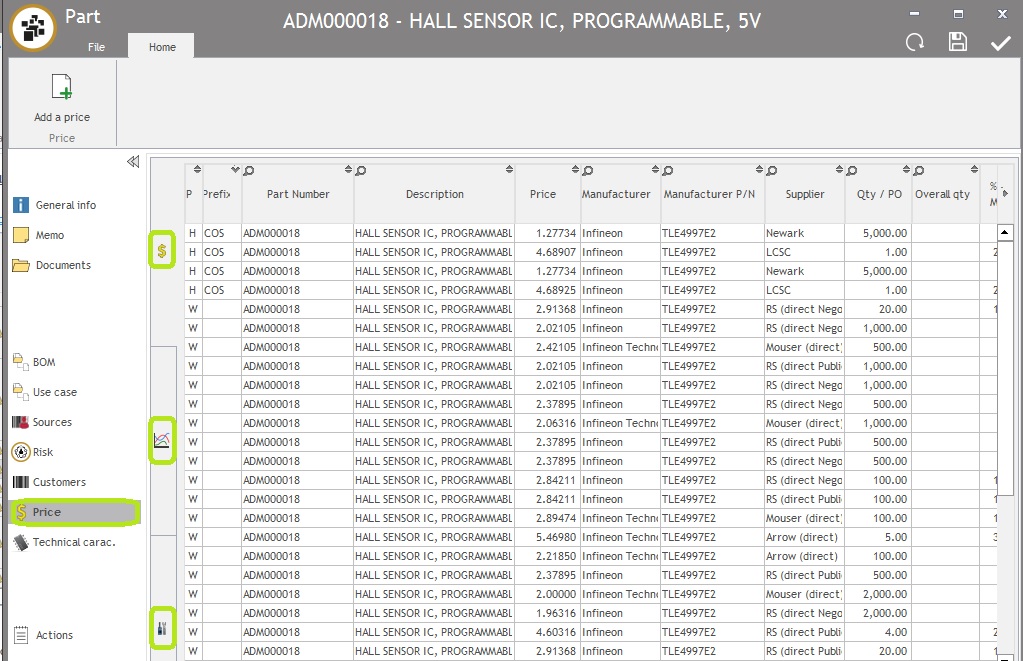
- Click on “Price” can choose :
-
Dollar sign

- Summary of the Purchasing price
- Prefix Definition:
- CUS: Customer direct negotiation to supplier price
- QUO: Price from supplier though RFQ request.
- NEG: Negotiation price
- LPP: Last purchasing price
- AWP: Average price
- TAR: Supplier price list
- WQ: WebQuote price
- Prefix Definition:
- Summary of the Purchasing price
-
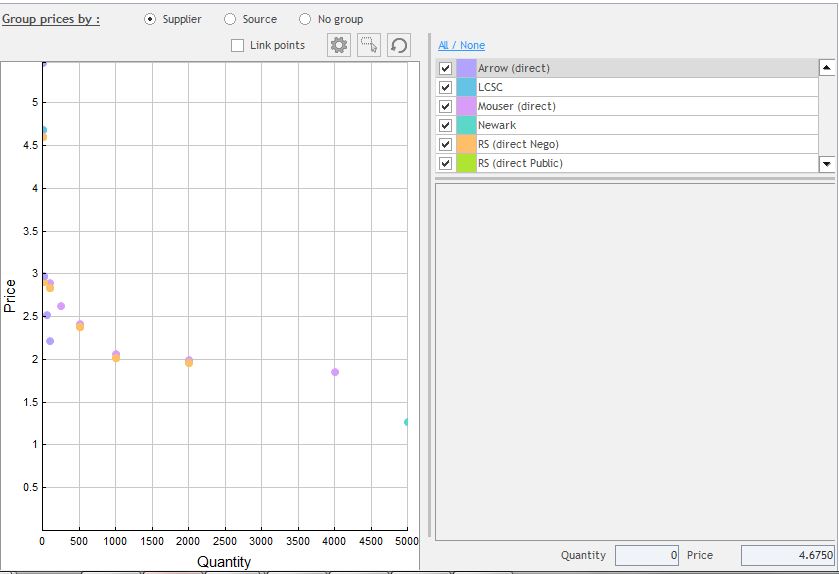
Chart sign

- Chart of price
-
Dollar sign
-
-
-
-
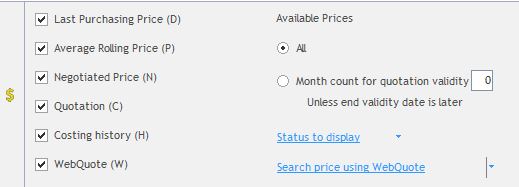
Setting sign

- Filter the price of viewing
-
Setting sign
-
-