This process talks about how to add manually a source. It can be done from "Part" Module or "Deal" Module.
The point is to complete anytime Buymanager database.
Process :
1. Select a part, click on open 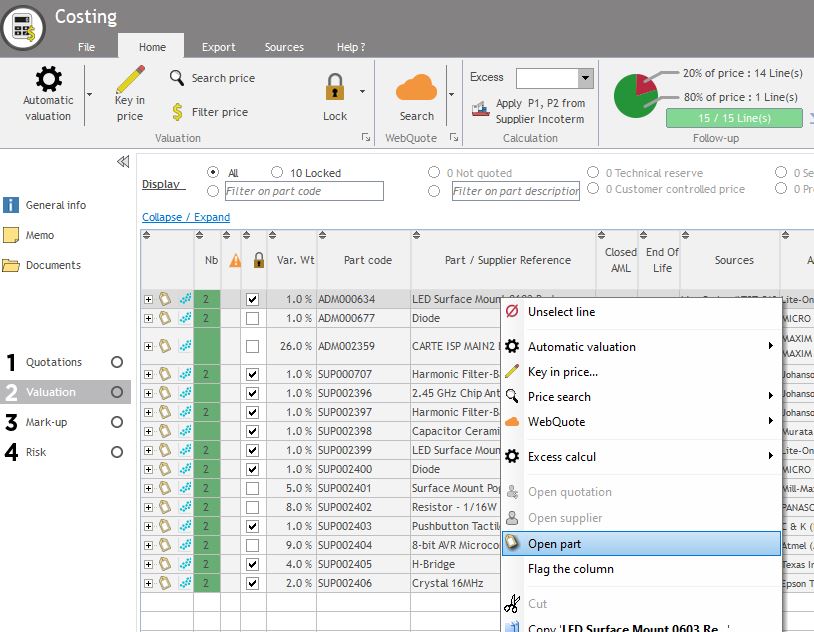
2. Click on sources tab
3. Click on add Part AML or Add Customer AML in case the source is only specific for this customer. 
- Search for a manufacturer by its code or its description
- Select the manufacturer
- Key in the manufacturer Part Number
- Select the status : Qualified / Information / To be Qualified / Uncompleted / Rejected.
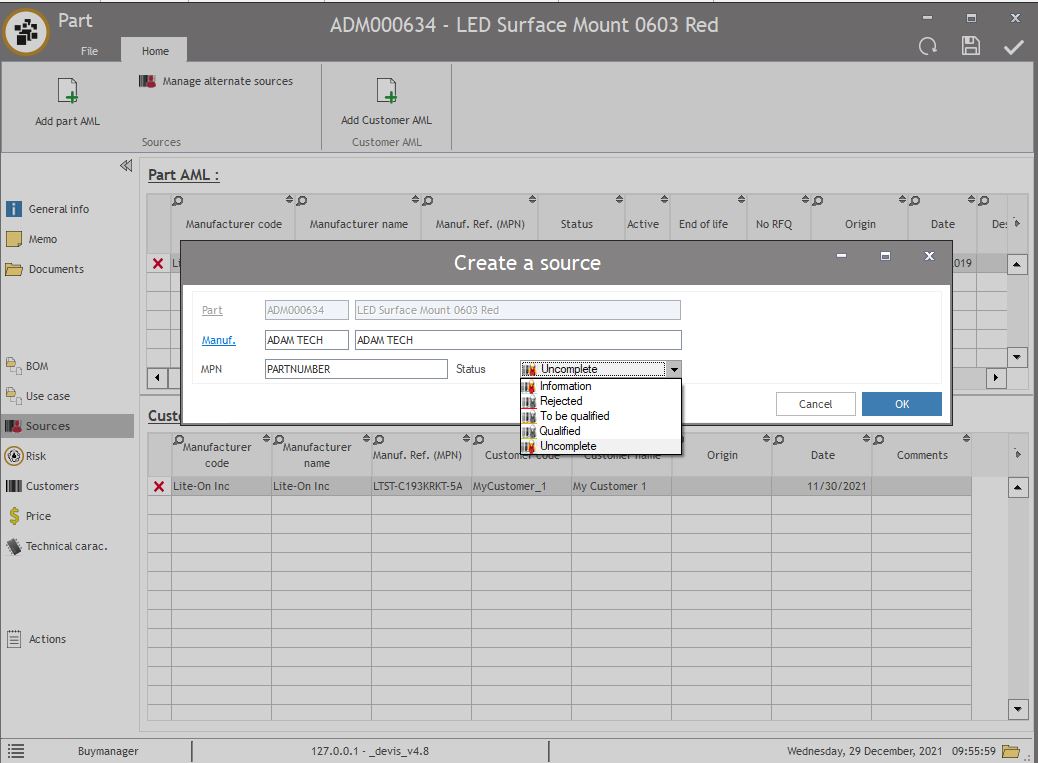 4. If necessary, key in a description in the column description for the source which will be displayed in the reports.