Summary
- How to create a list of supplier to request on a same pack of needs?
- How to request some needs on a specific list of suppliers?
How to create a list of suppliers to request on a same pack of needs?
During the RFQ process when you have to select suppliers to request.
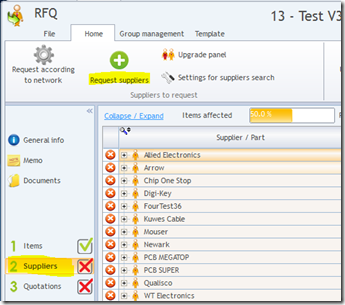
- Open a RFQ >> step 2 suppliers
- Click on “Request suppliers”
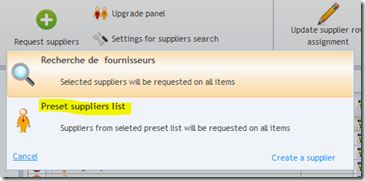
- Select “Preset suppliers list”
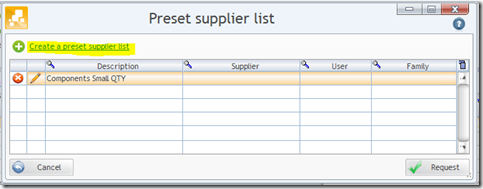
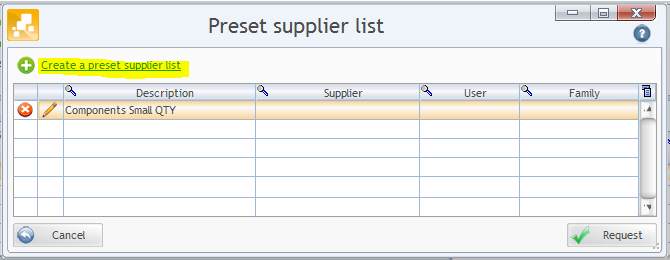
- In the pre-set supplier list : User could “create a pre-set supplier list”
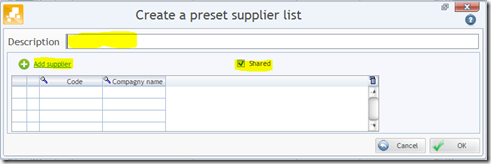
- In the “Create a pre-set supplier list” window : user could name the supplier list, add suppliers from database and potentially share this list for others users
- In the pre-set supplier list : User could “modify a pre-set supplier list”
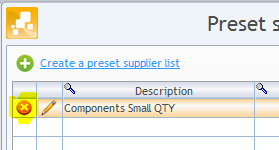
- In the pre-set supplier list : User could “remove a pre-set supplier list”




How to request some needs on a specific list of suppliers?
- Open a RFQ >> step 2 suppliers
- Click on “Request suppliers”
- Select the supplier list you want to request and click on “Request” button

Buymanager already have line card inside. To speed up the RFQ initialization wher suppliers are common et known at starting on the needs enter, Buymanager add a tool allowing user to create predefine list of suppliers et giving the possibility to request it in 1 clic.